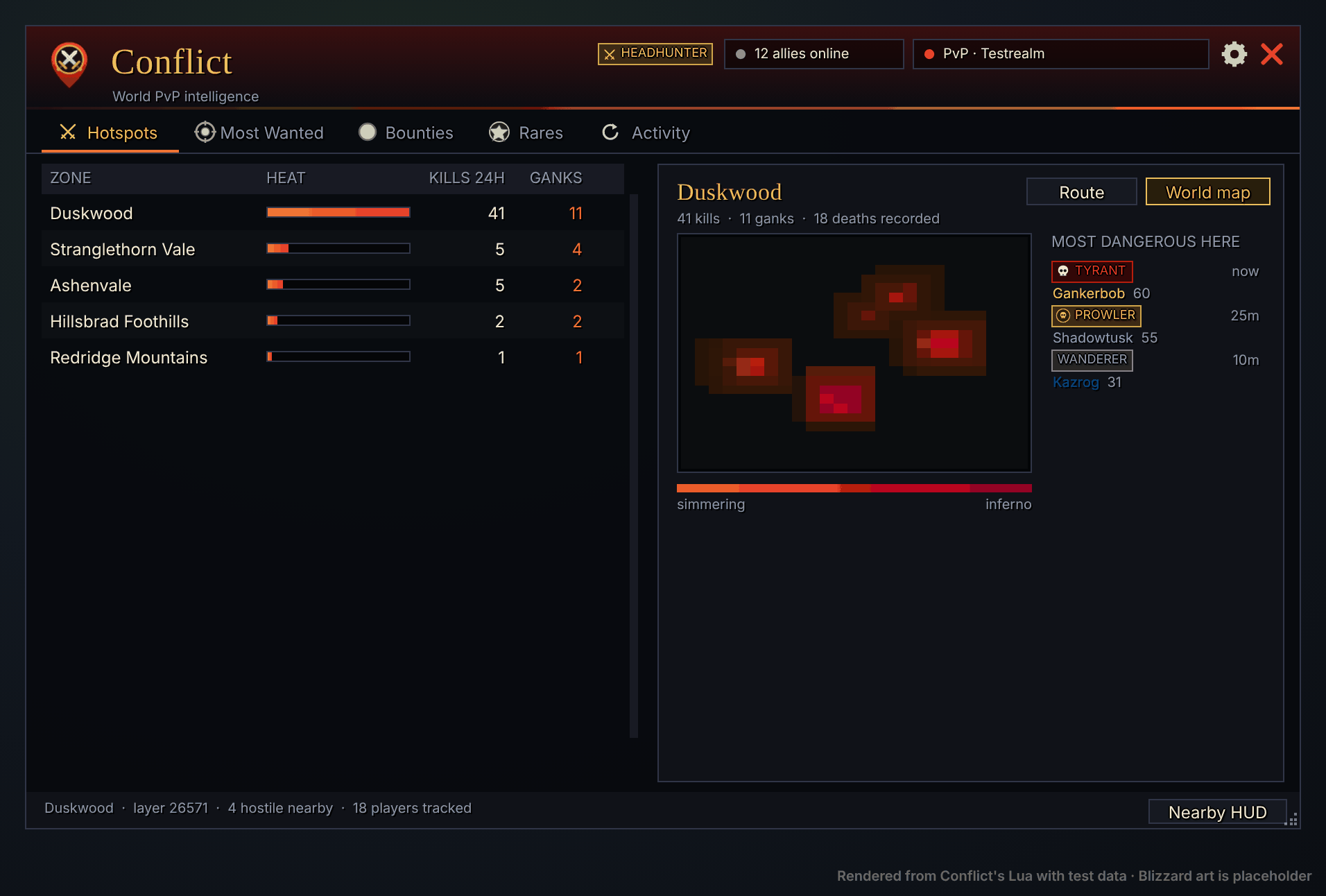
Heat
Where the fighting is
Player kills add heat where they happen, and a gank counts twice. Hot spots glow on the world map and minimap, and the Hotspots tab ranks the zones.
SpotterMods · Add-ons for WoW Forever
A spotter watches the whole field and calls out two things: where the trouble is, and where to go. SpotterMods makes two free add-ons that do that job for you.
Both free · Coming soon to CurseForge
Intel on people
World-PvP intelligence
Every gank has a price.
Conflict maps where the fighting is, remembers who ganks lowbies, and lets the community put gold on their heads. Hunters claim the bounty, and the pledges pay out at any mailbox with one click.
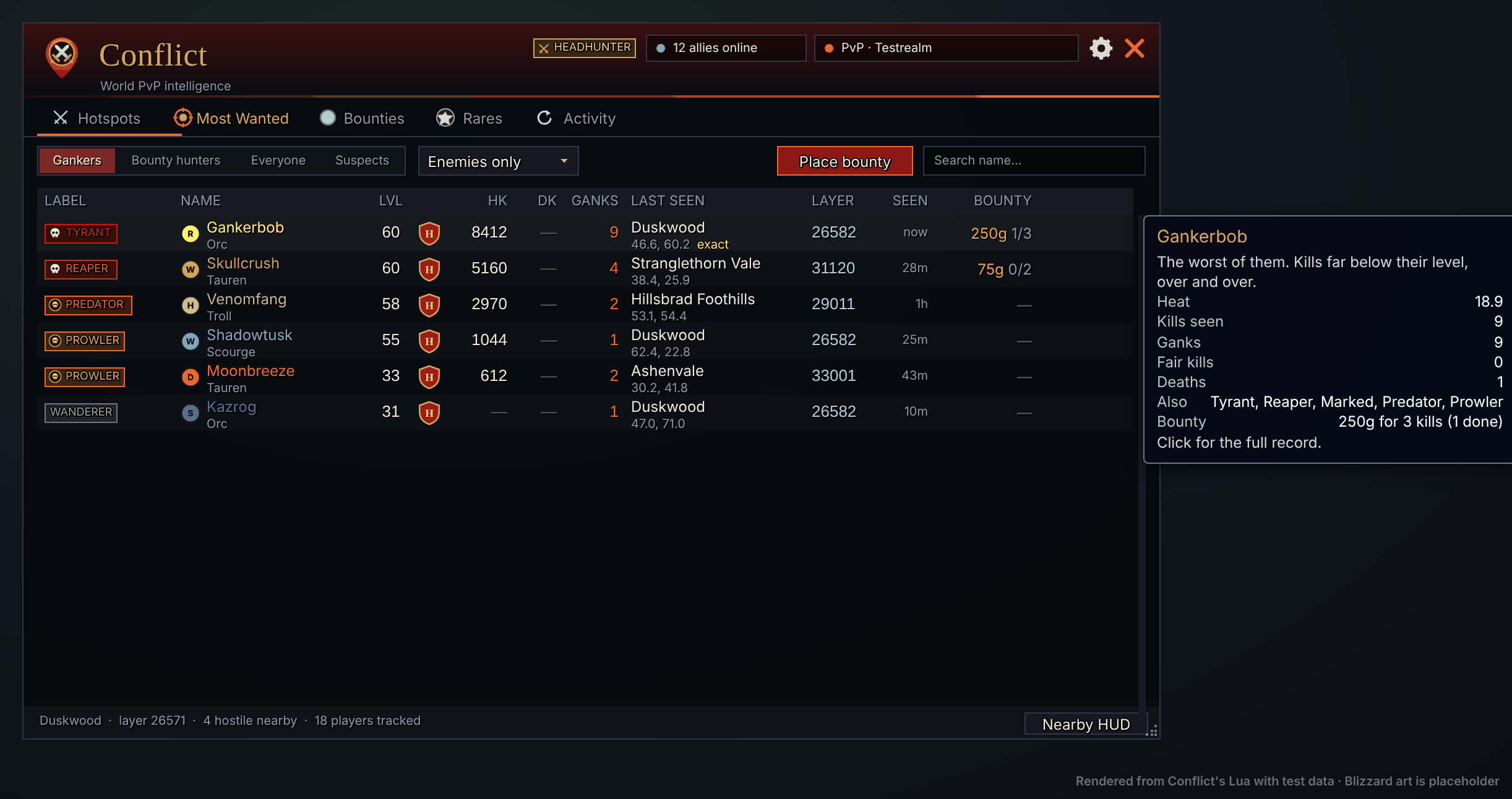
A kill is a gank when the killer is 5 or more levels above the victim. Ganks add heat, and heat cools by half every 72 hours, so a ganker who stops drifts back down the ladder. The rules are the same for every Conflict user, so a ganker is a ganker on everyone's screen.
Player kills add heat where they happen, and a gank counts twice. Hot spots glow on the world map and minimap, and the Hotspots tab ranks the zones.
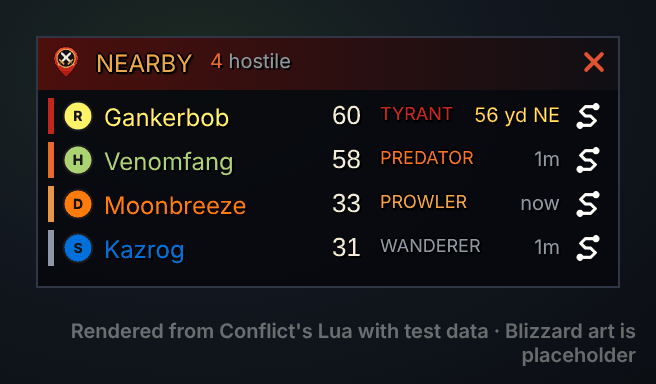
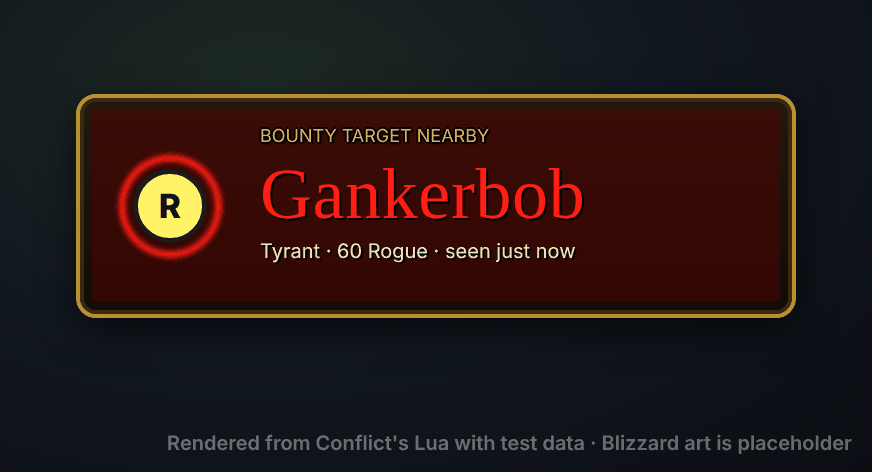
Players your client loads in around you, most dangerous first. A red alert when a notorious player or a bounty target shows up.
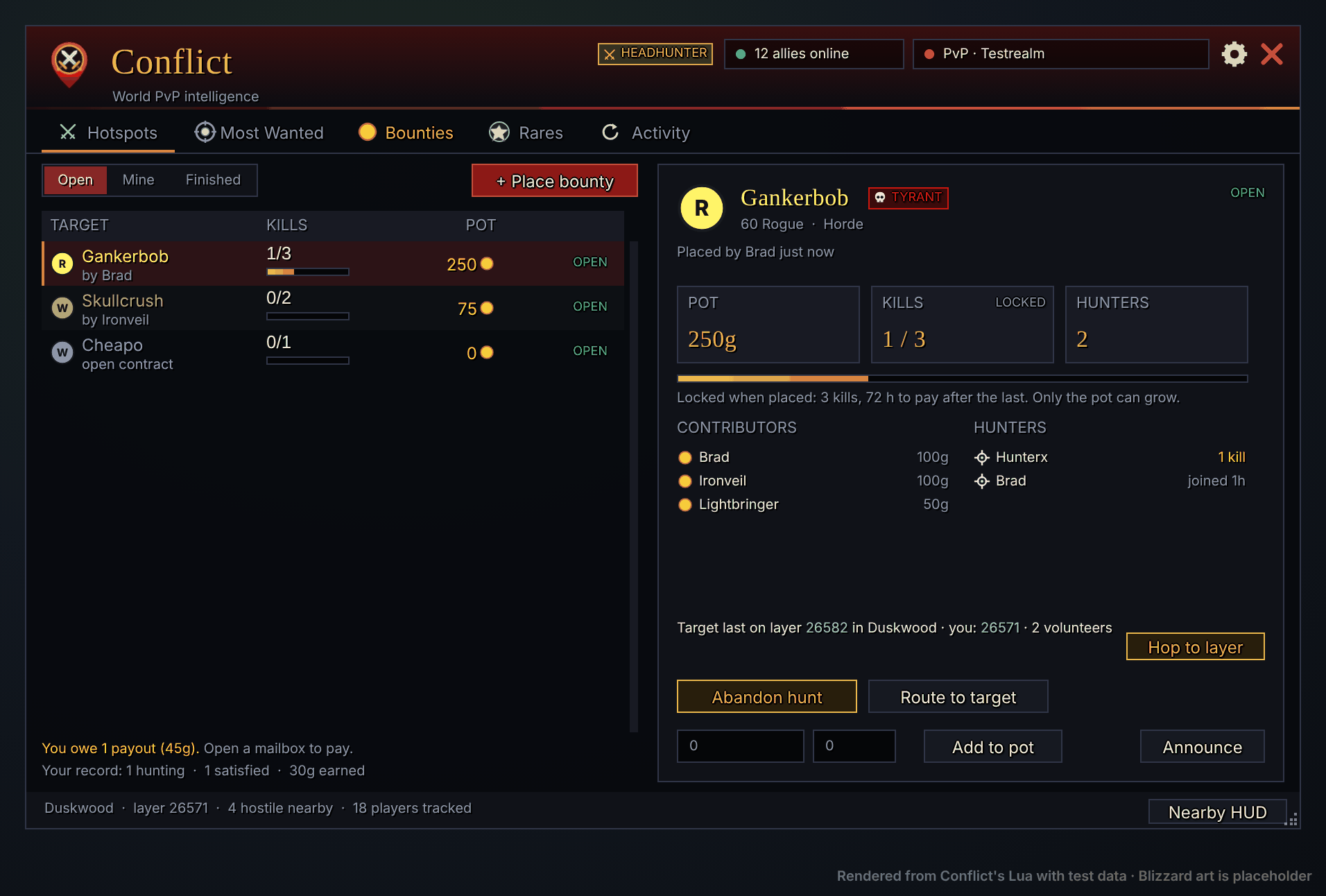
Pledge gold for revenge kills. The kill count locks when the bounty is placed; only the pot can grow. Anyone of your faction can add to it.
Nothing leaves your bags until the kills are done.
Pick a ganker, set the kills, pledge your gold. Others add to the pot.
Accept the bounty. If the target is on another layer, a volunteer there pulls you over.
Only kills the game reports count, yours or your group's. Finish the count and you're a Headhunter.
Contributors pay with one click at any mailbox: one mail per hunter, split by kills.
Promises are kept. Miss the payment window (72 hours) and you become an Oathbreaker, with a contract on your own head and your guild told. Paying late clears the mark.
Target on another layer? A volunteer there invites you, and the world refresh puts you on their layer.
Rares seen by anyone on the network, with layer and respawn estimate. World bosses get "engaged" alerts with how many Conflict users are there.
Bounty targets get a red crosshair on the target frame, nameplate and tooltip; active hunters get a gold ring.
Hunters tracking humanoids, and druids in cat form: hover a dot on the minimap and Conflict works out exactly where that player stands.
Bot Hunter collects evidence on players who play like a script, shows it only when three Conflict users agree, and ends at the game's own Report.
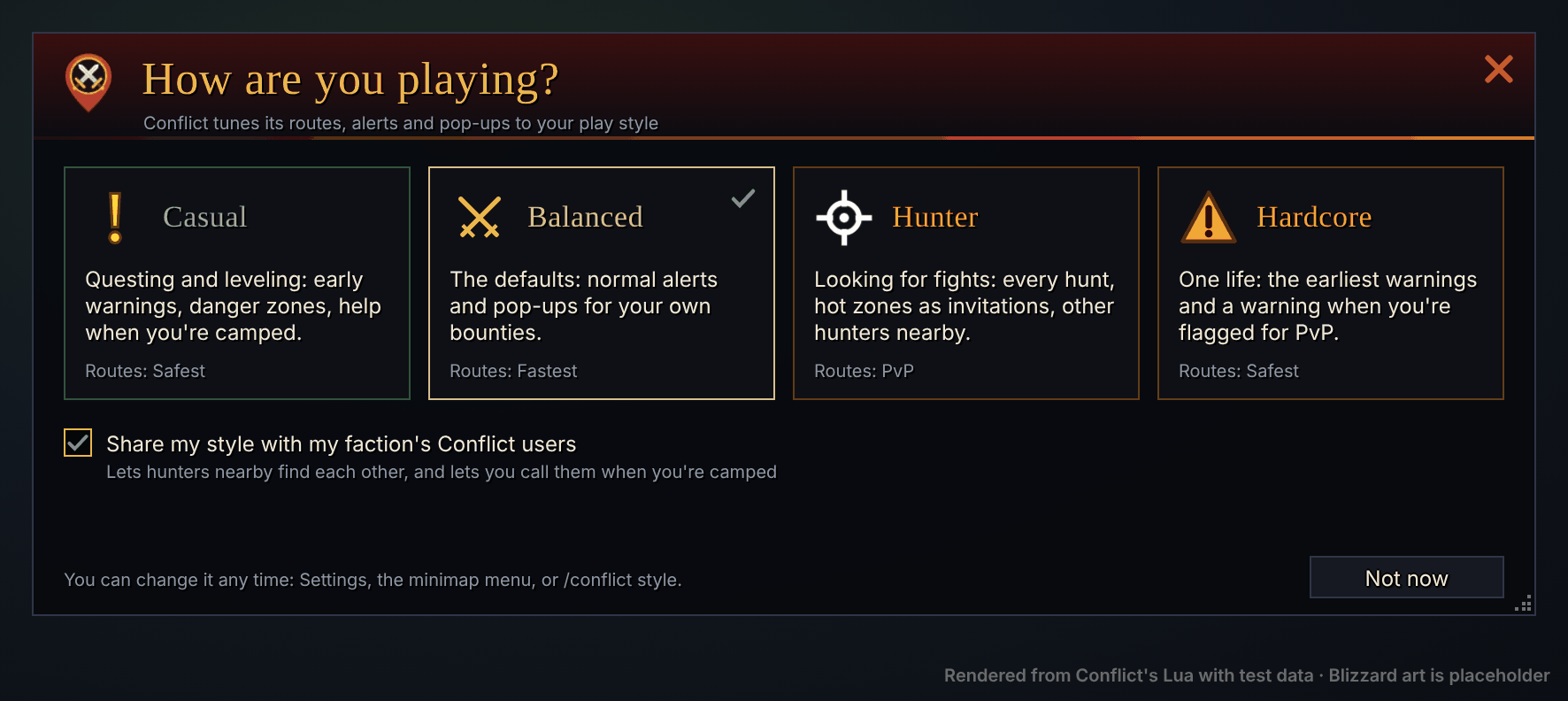
Casual, Balanced, Hunter or Hardcore tunes alerts, pop-ups and layer hops. Hardcore realms start in Hardcore.
One-click lines for the zone's public channels when a Tyrant is spotted or a zone heats up. Rate-limited, and you always press Send.
Kill your bounty target and Conflict prints a proof line and takes a screenshot with it in the picture.
Conflict users share sightings, kills, bounties and rares over an add-on channel, and catch each other up after login.
Intel on the ground
GPS, Routes & Places
Routes that know the ground.
Search for a place, an NPC, a quest or any spot on the map, pick how you want to travel, and follow the line: on your world map, your minimap, the game's own waypoint marker, and rails at your feet.
Real terrain
Warpath's routes follow the game's real terrain heights. They're built from the game's own map files for every tile of Kalimdor and the Eastern Kingdoms: Warpath measures the slope between height points a few yards apart and treats ground steeper than 50 degrees as cliff. The router won't step through a cliff wall, so a route takes the pass instead of climbing the ridge. Bridges and city streets are buildings, not terrain: there Warpath falls back to its estimated map and crosses as little cliff as it can.
The terrain is built ahead of time and ships inside the add-on. You never run anything, and nothing touches your game files.
| Route | Without | With |
|---|---|---|
| Goldshire to Darkshire | 41 | 0 |
| Booty Bay to Goldshire | 59 | 0 |
| Valley of Trials to Orgrimmar's gate | 20 | 0 |
| Crossroads to Thunder Bluff | 30 | 2 |
| Crossroads to Ratchet | 4 | 0 |
Real terrain is new and marked experimental in Settings. It covers the ground itself; buildings, rocks and trees aren't in it yet. Underneath, Warpath's ground map is estimated from 54,000 creature spawns, 47,000 objects and 570 patrol paths, with water, towns, roads and dangerous camps.
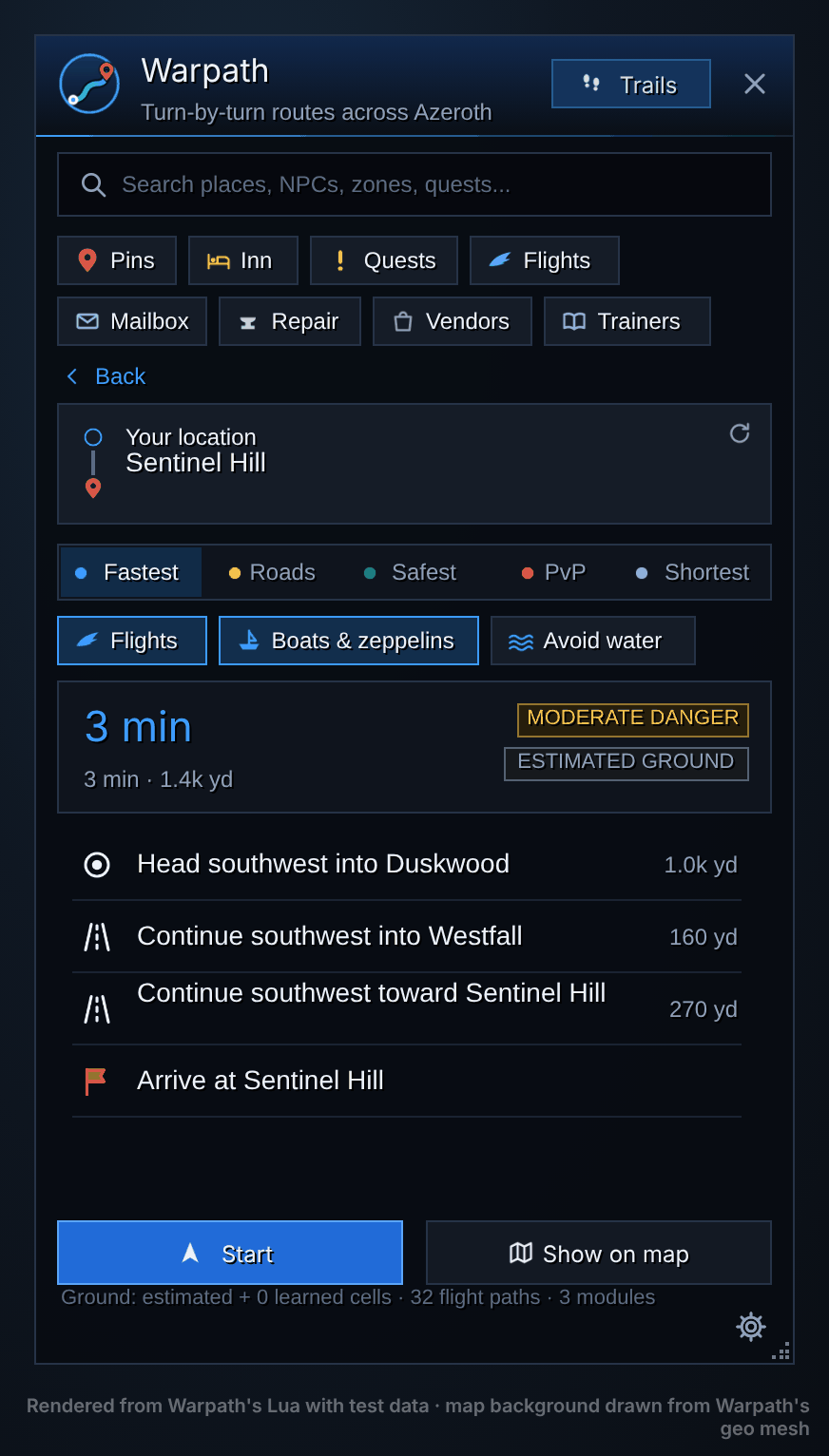
"Continue southwest toward Sentinel Hill", "Follow Westfall shortcut (by Kaelin, 24 up)". Every route shows its time, distance and a danger rating from creatures above your level, enemy towns and recent fighting.
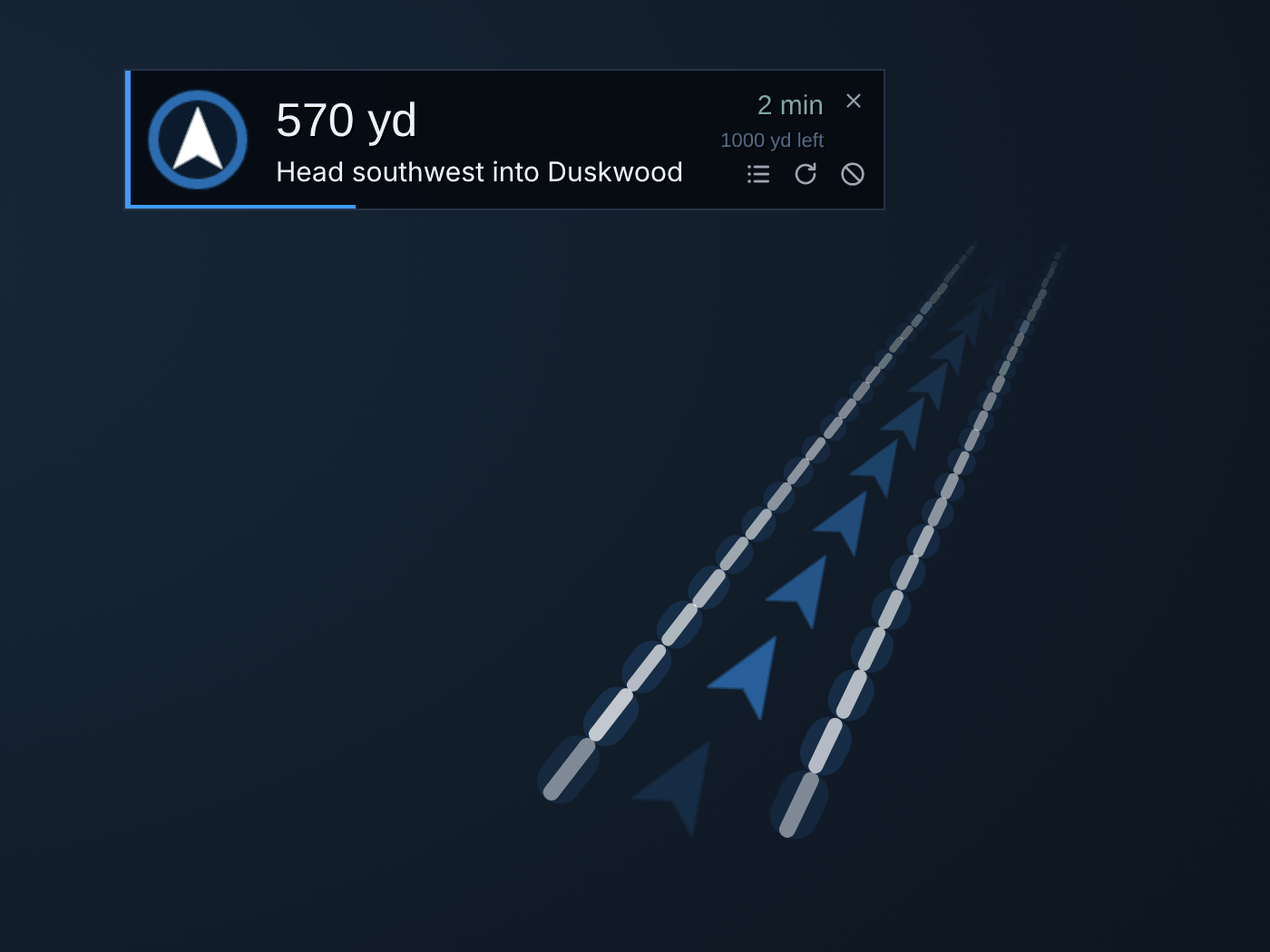
The navigation bar points the way relative to where you're facing and counts down to the next turn. Warpath keeps the game's own waypoint marker a little way ahead of you, reroutes when you stray, and one click marks a blocked way and finds another.
The next 45 yards or so of the route, drawn on the ground in front of your character: two glowing rails with chevrons that bend where the route bends.
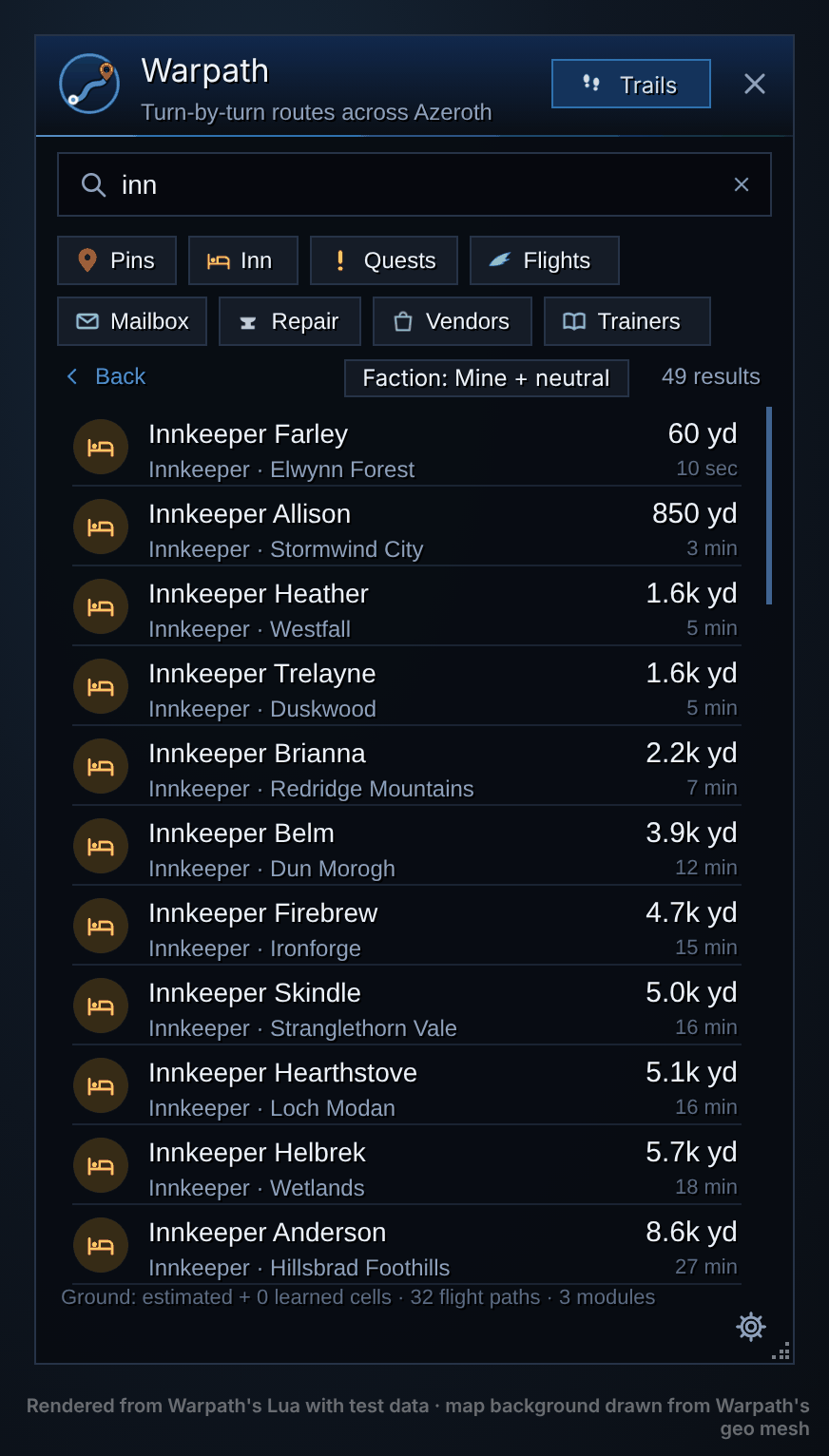
Inns, flight masters, banks, auction houses, trainers, vendors, dungeons, boats and zeppelins. Search looks inside places too: warlock finds warlock trainers. Drop your own pins and share them with your group or guild.
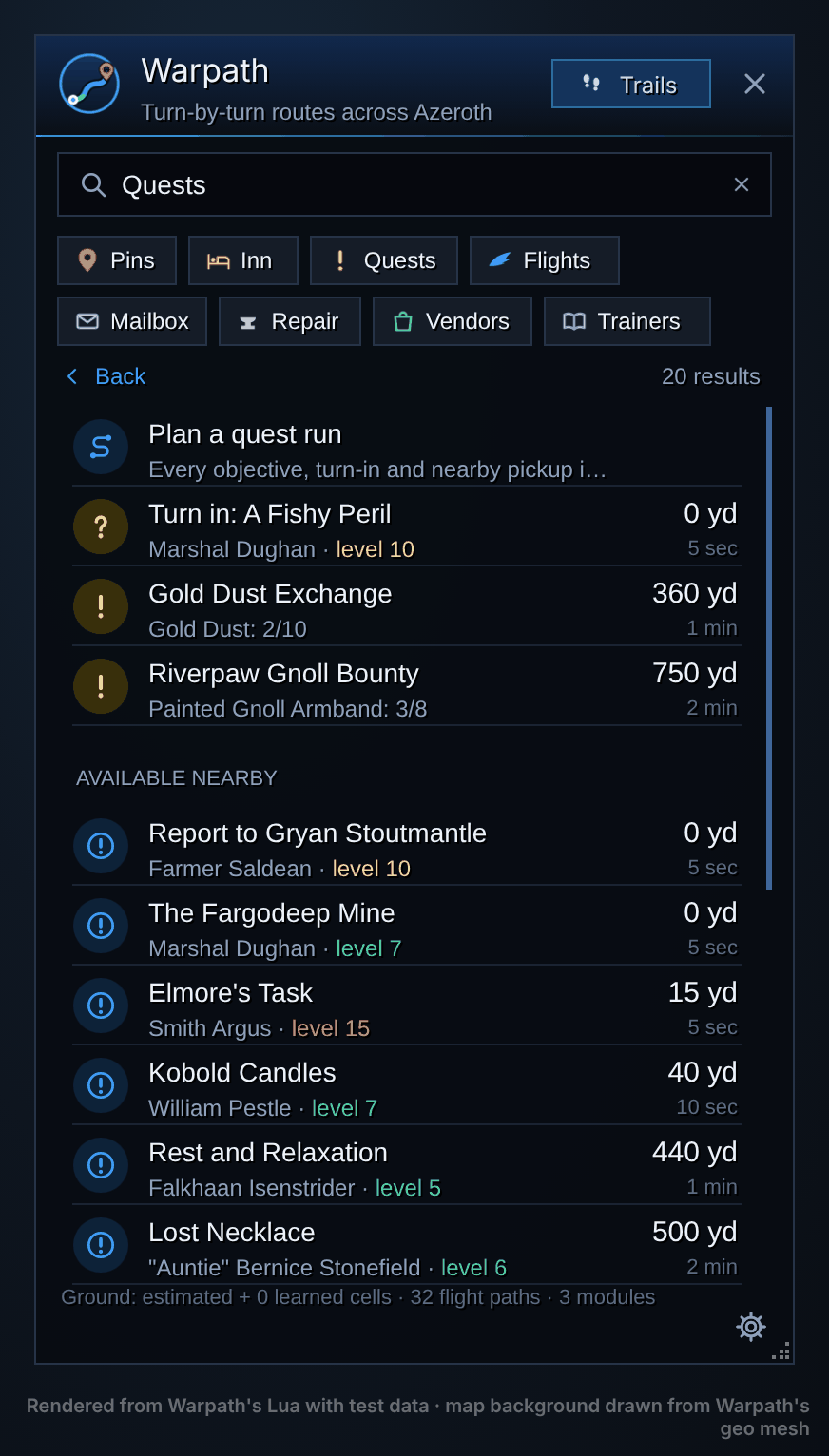
Knows where all 3,944 WoW Forever quests start, end and do their objectives. Routes to your next objective or turn-in, lists quests to pick up nearby, and plans a quest run that orders every stop into one trip.
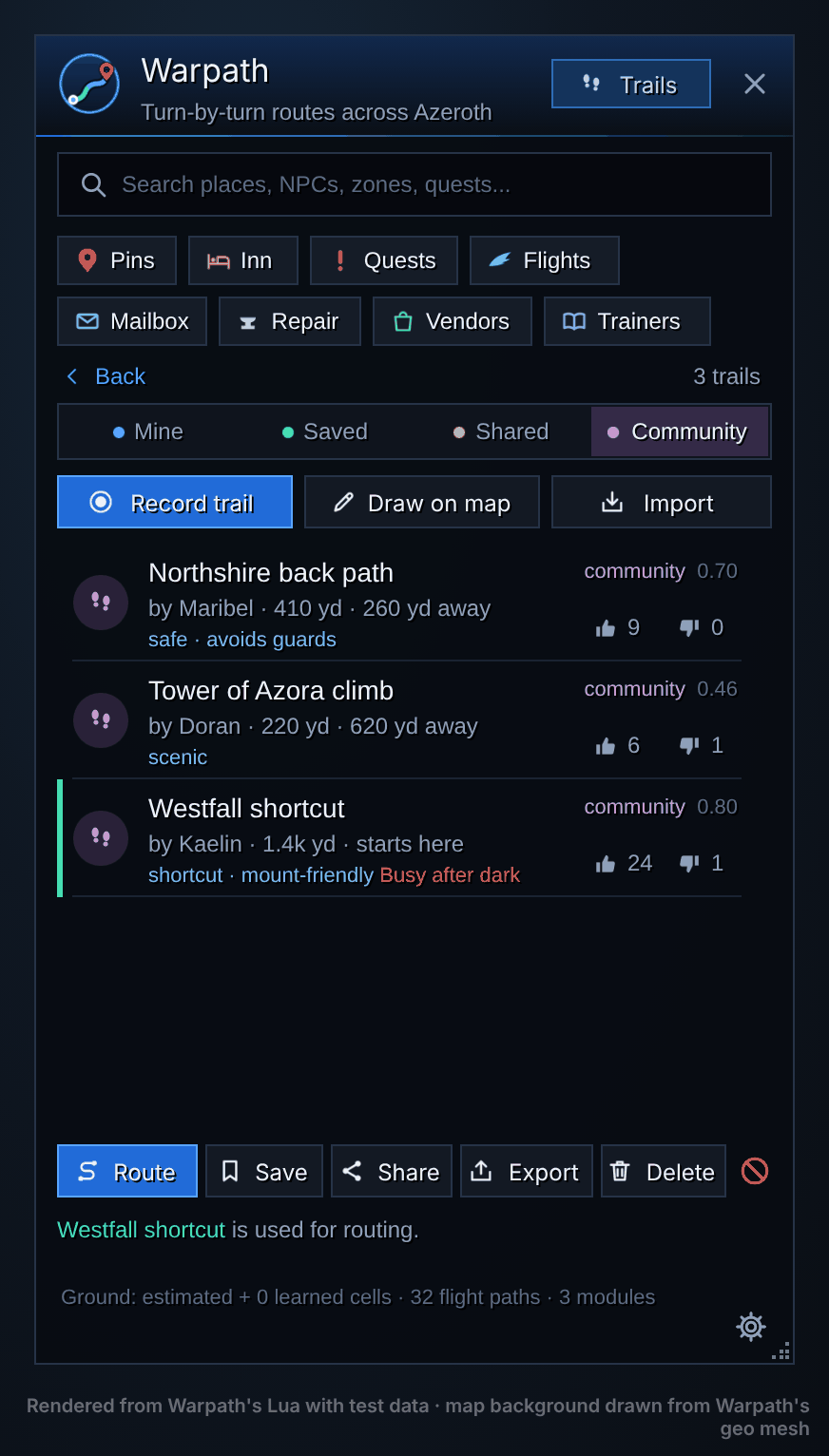
Record a trail as you walk or draw one on the map, share it with your group, guild or a public trails channel, and vote. Trails and custom routes are shared between community members, and can deliberately include travel that relies on buffs such as Slow Fall or Water Walking—even when those movements are excluded from automatic ground-path learning. Saved and well-rated trails become part of routing, and the steps name them.
Uses the flight paths you've discovered and every boat, zeppelin and the Deeprun Tram, so long and cross-continent trips just work.
Safest steers around creatures above your level and enemy towns; Roads sticks to roads and trails; Shortest ignores both.
Ground you walk becomes known ground, and paths you walk often become trails it prefers. Warpath shares learned paths with other players running the add-on, building community route knowledge as you explore.
Intelligent movement checks recognize falling, buffs such as Slow Fall and Water Walking, and transport such as zeppelins and gryphons, helping keep those journeys out of ordinary ground-path learning. Place names you pass become landmarks, and real flight times replace estimates.
The route on world, zone and continent maps and the minimap. Ctrl + right-click the world map for directions to anywhere.
Better together
Each add-on works on its own. Install both and they talk: Conflict's live picture of the fighting shapes Warpath's routes, and Warpath turns Conflict's sightings into directions.
The same trip, Goldshire to Eastvale Logging Camp, with a Conflict hot spot south of the road.
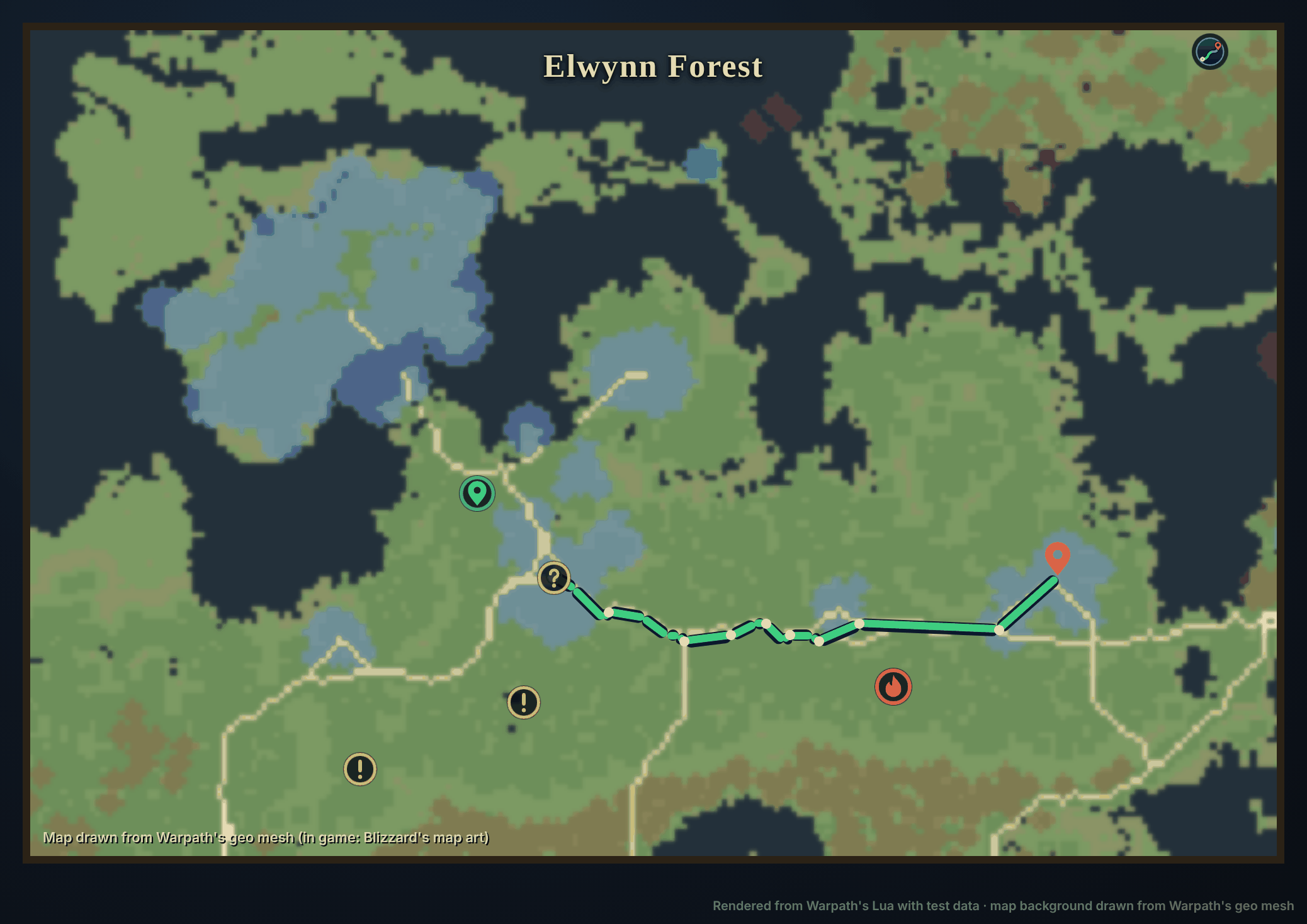
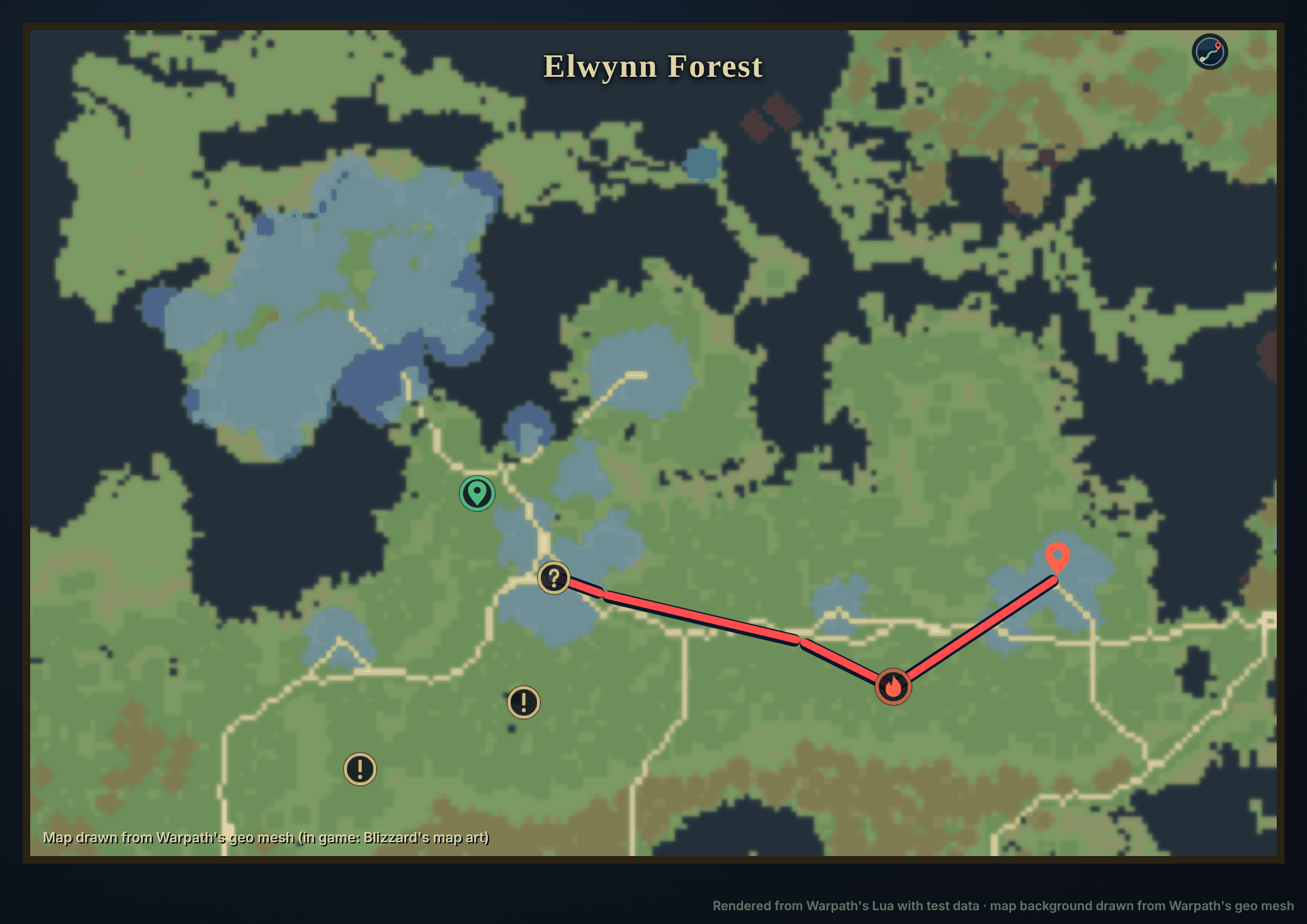
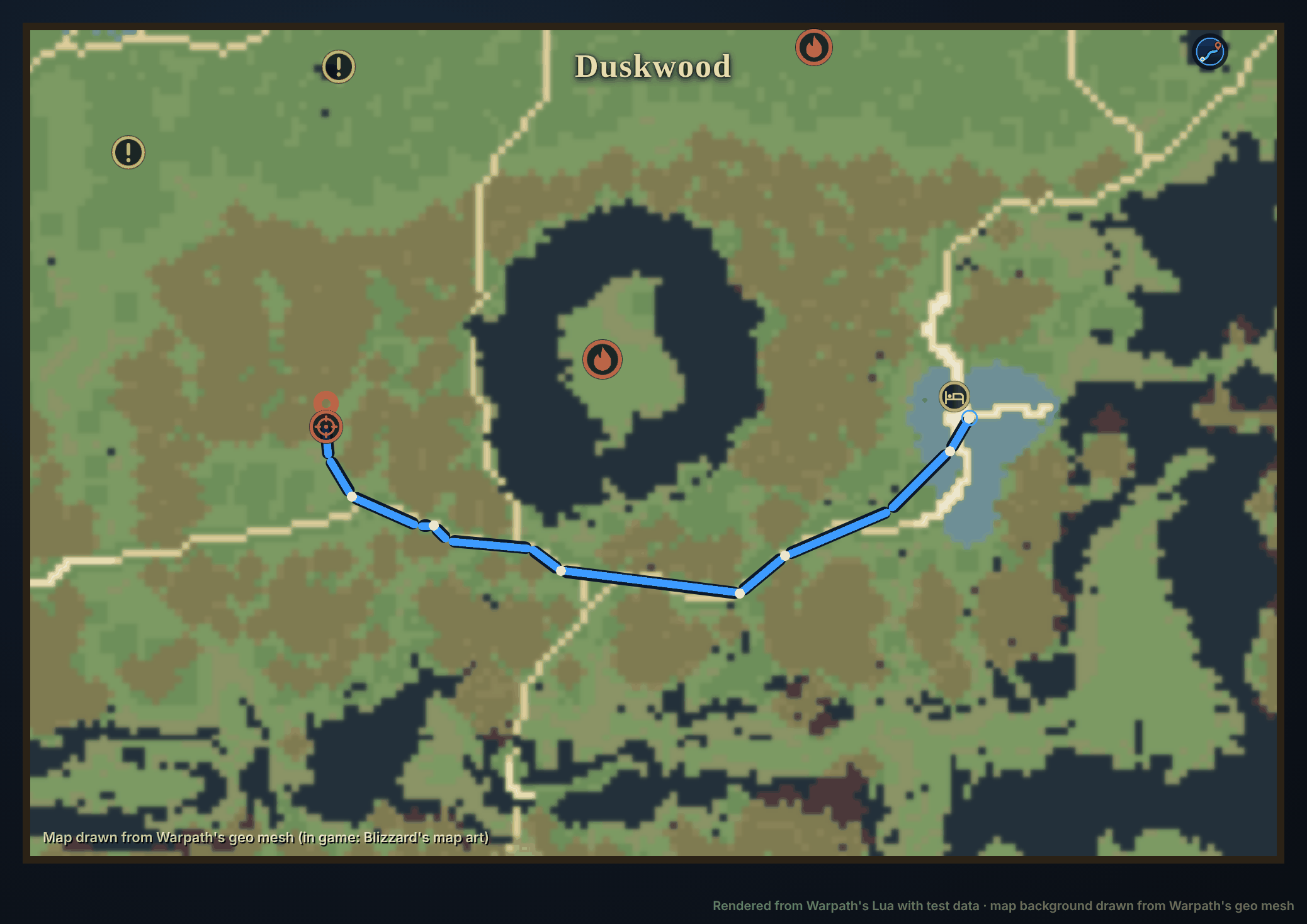
Route buttons in Conflict, on player cards, bounties, hot spots and the Nearby list, give turn-by-turn directions to where that player was last seen. When they're seen somewhere new, Warpath reroutes there, or asks first. Hunt on a bounty target always follows.
Without Warpath, the same buttons set the game's map waypoint instead.
When Conflict warns of a ganker reported nearby (Casual and Hardcore), Route around re-plans your Warpath route on Safest.
A community trail through today's fighting, or past a ganker seen in the last 15 minutes, ranks lower and says why. On the PvP profile it ranks higher.
Bounty targets and hot spots become destinations and map markers in Warpath, the layer seams Conflict has learned are searchable, and world boss cards show live status.
Questions
Both are regular add-ons built on the game's public add-on API: free, with readable code and no in-game ads, following Blizzard's add-on policy. Conflict reads kills from game events; nothing reads game memory or network traffic. Add-ons can't read game files, which is why Warpath's terrain is built ahead of time and shipped with it.
No. Both add-ons are free, with every feature for everyone.
No. Bounties are in-game gold that players pledge to each other. Paying real money for in-game services breaks Blizzard's terms, so Conflict will never offer it.
No. Each works on its own. Without Warpath, Conflict's Route buttons set the game's map waypoint; without Conflict, Warpath does everything except the live PvP data.
Both are made for the WoW Forever client. Conflict tracks world PvP on any Forever realm, keeps a separate dataset per ruleset (PvP, Normal, RP), and pauses in battlegrounds, arenas, dungeons, raids and sanctuaries. Warpath routes across Kalimdor and the Eastern Kingdoms; it doesn't route inside instances.